What is EzyChart?Full-featured stock market charting software built for private investors & traders wanting to chart at home or on the go. It offers multiple chart styles & drawing tools, interactive mouse cursors & over 50 technical analysis indicators.
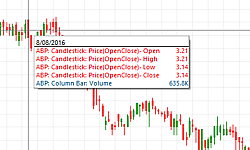
Interactive CursorsSwitch between interactive mouse cursors to gain different insight into your charts. Use either the Cross Hair, Statistics or Mouse Zoom pointers and more.Financial Chart StylesSelect from Bar, Candlestick, Line, Equivolume, Gann Swing, Point & Figure, Renko and Kagi. You can also open charts as Japanese Candle, Elder Ray, Mountain, HLC (High-Low-Close) and Rainbow Oscillator.Guppy, Berg and Hull IndicatorsEzyChart includes quick-access indicators and tools from three top industry experts:Daryl Guppy - Guppy Multiple Moving Average (GMMA) and Modern Darvas box. Stop-loss drawing tools: Count back line (CBL) Short, CBL Long, CBL Short Stop, CBL Long Stop and the Average True Range (ATR) Short & ATR Long Jim Berg - Volatility Price, Volatility Profit Taker and Volatility Trailing Stop. Alan Hull - Hull Moving Average, Hull Multiple Moving Average, Rate of Annual Return and Range indicator. Watch below as Alan Hull discusses his indicators for trend trading in EzyChart.  html video code by VideoLightBox.com v3.1 html video code by VideoLightBox.com v3.1
|
Choosing the Best Charting SoftwareIdeal for ASX charting as well as worldwide exchanges; EzyChart is trusted Australian charting software recommended by Australian experts. It has a customisable workspace and lets stock market investors & traders tweak indicator parameters to suit their strategy.
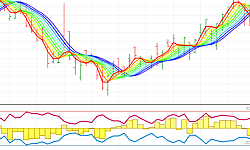
Technical Analysis IndicatorsEzyChart's wide selection of indicators can be overlayed on a chart or opened in their own panel. Customisable in style and function, you can alter their parameters to apply your trading strategy i.e. change a simple 20-day moving average on close price to a 30-day exponential on open price - or any other combination.CustomisableMake changes to the style and organisation of your stock market charts. Modify colours and shadings for indicators, drawing tools and the up-and-down colour rule of the chart type.Money ManagementEzyChart is unique share market charting software in that it contains money management tools. You can place a 'Stop Loss' on your charts using either % method, Average True Range or Count Back. Or apply 'Stop Loss' strategies from Daryl Guppy's book Trading Tactics. All automatically recalculate as new data is applied to the chart.
|
How it WorksEzyChart is installed onto your Windows computer or laptop so your charts are always accessible, even when offline. The share charting software works best with Bodhi data so you can analyse price & fundamental info when charting the ASX.
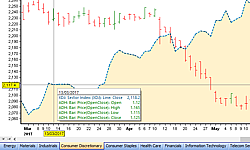
Share Price & Fundamental DataEzyChart specialises in ASX stock charting software, displaying fundamentals for Australian Stock Exchange companies in a configurable window called the 'Stock List' (available only with Bodhi data).Watch below for more on this feature:  html video code by VideoLightBox.com v3.1 html video code by VideoLightBox.com v3.1
Sector ChartsASX Sector or Industry Group charts are automatically grouped under their headings with the relevant sector index overlayed. For instance, you can scroll all equities in the Energy & Health or any other Sector.Easy Video TutorialsThrough our YouTube channel and online Help, watch short tutorials and walk-through's on using EzyChart. |


TRUSTED NAME IN HOME-BASED CHARTING SOFTWARE FOR OVER 30 YEARS
FOR A CLEARER
MARKET OUTLOOK
MARKET OUTLOOK

EzyChart - Technical Analysis Indicators x

1300 883 195 | sales@justdata.com.au |
SITE MAP | PRIVACY | LEGALS | ABOUT |
| Copyright © Electronic Information Solutions Pty Ltd 1990 - . All Rights Reserved. |